Quick answer
A water eject app plays a tuned low-frequency sound through your iPhone speaker. The vibrating membrane pushes trapped water out of the grille in 30–60 seconds. A good app also lets you test the result — stereo left/right check, test tones and a dB meter — so you know when the speaker is really clear.
iPhones don't have a built-in water eject button (Apple Watch does — it's called Water Lock). A water eject app fills that gap. Instead of a website tone that you have to keep open in a browser, an app plays calibrated sound sessions offline, lets you repeat them, and gives you tools to check whether the speaker sounds normal again.
On this page 6 sections
How to use a water eject app
- Download the app. Install a water eject app such as Clear Wave from the App Store. It works offline once installed.
- Remove the case and dry the outside. Wipe the phone and speaker grille with a lint-free cloth.
- Turn volume up to 70–80% and face the speaker down. Gravity plus vibration moves the water out.
- Start the water eject session. Let it run until it finishes. Wipe away any droplets on the grille.
- Test and repeat. Play a test tone or music. If it still sounds muffled, run 1–2 more sessions.
Using Clear Wave as your water eject app
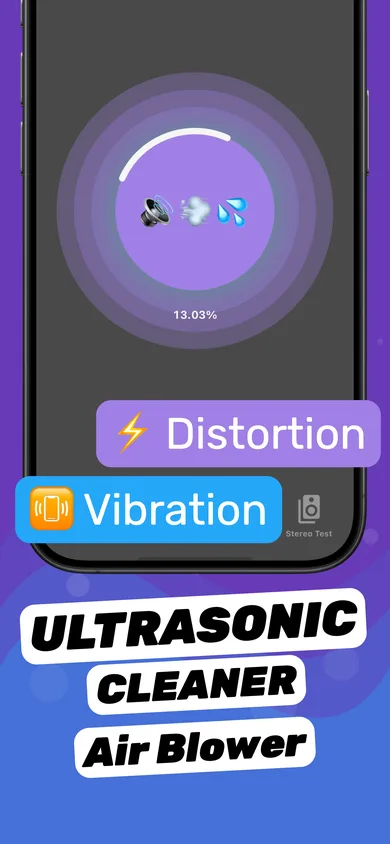
- Open Clear Wave. The water eject (speaker cleaner) session is on the first screen.
- Tap to start the session. The ring shows progress while tuned sound patterns push water and dust out of the speaker.
- Run the Stereo Test. Switch the left and right channels on one at a time to hear each speaker separately.
- Confirm with the dB Meter or Tone Generator. Sweep through frequencies to catch rattles or missing ranges, and see if you need another cycle.
App vs. website vs. Siri Shortcut
| Clear Wave app | Web water eject tool | Siri Shortcut | |
|---|---|---|---|
| Works offline | Yes | No | Yes |
| Repeatable sessions with progress | Yes | Manual | Fixed tone |
| Left / right stereo test | Yes | Rarely | No |
| Tone generator (frequency sweep) | Yes | Sometimes | No |
| dB meter | Yes | No | No |
| Setup | Install once | Keep a tab open, screen on | Import from a third-party site, allow untrusted shortcuts |
What to look for in a water eject app
- Low-frequency sessions (around 150–200 Hz) — high-pitched beeps move very little water.
- Volume control — you should never need 100% volume.
- A way to verify — stereo test and test tones tell you whether the fix worked.
- Offline and private — Clear Wave's sessions run on your device; it declares no data linked to your identity on the App Store.
- Honest limits — no app can fix a physically blown speaker.
Does a water eject app actually work?
For water sitting in the speaker grille and the small cavity behind it — the most common cause of muffled sound after rain, a shower or a splash — yes. You can usually see droplets come out. It won't help with water inside the logic board or a damaged speaker. Read more: Does water eject actually work?
Questions
Is there a free water eject app for iPhone?
Clear Wave is free to download on iPhone and iPad. An optional subscription (with a free trial) unlocks all tools.
Does a water eject app work on iPad?
Yes. Clear Wave supports iPad on iPadOS 17.1 or later. iPad speakers are on the sides, so tilt the iPad so the wet speaker faces down.
Can a water eject app damage my speaker?
Not at normal volume. It plays audio like any music app. Keep volume below the maximum and stop if you hear harsh distortion.