
Quick answer
First, check it isn't just water or dust: run 2–3 water eject cycles, brush the grille, and test again. A truly blown speaker (torn membrane or damaged voice coil) crackles or buzzes at every volume and can't be fixed with software — it needs a speaker replacement. Many "blown" phone speakers turn out to be clogged.
"Blown" means the speaker is physically damaged — usually from being driven too hard, a drop, or corrosion. But water and debris produce almost the same symptoms. Before you pay for a repair, spend two minutes ruling those out.
On this page 5 sections
How to test and fix a "blown" speaker
- Play clean audio at 50% volume. If it sounds fine at 50% and only distorts when loud, it's probably not blown.
- Eject water and debris. Speaker down, 70–80% volume, low-frequency water eject tone for 30–60 seconds, 2–3 times.
- Brush the grille. Soft, dry toothbrush — never pins or needles.
- Sweep test tones. Play tones from low to high. A blown speaker buzzes across many frequencies, not just one.
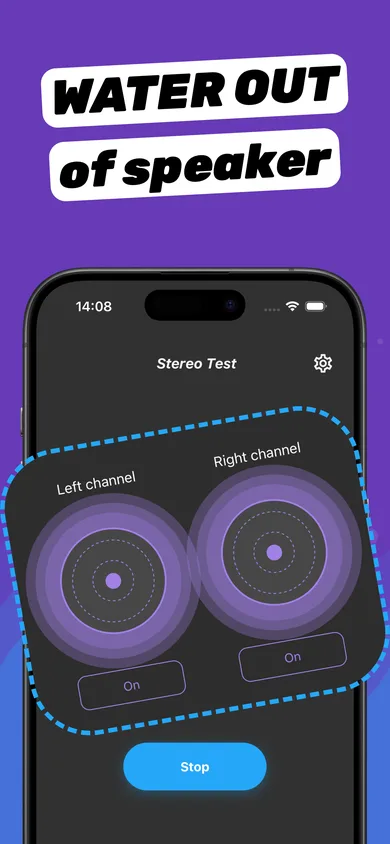
- Compare speakers. Use a left/right test. If one side is clean and the other rattles at every level, that speaker is damaged.
- Replace if confirmed. A phone speaker replacement is a routine repair at Apple or a reputable shop.
Diagnose a blown speaker with Clear Wave
- Clean first. Run a Water Eject session to rule out water and dust.
- Stereo Test. Play Left and Right channels separately and compare.
- Tone Generator sweep. Swipe slowly from low to high frequency and note where it buzzes.
- dB Meter. Compare loudness between speakers — a big drop on one side confirms a problem.
Signs your speaker is blown
- Crackling or fuzz at low volume, not just loud volume.
- A constant rattle on bass notes that doesn't improve after drying for 24 hours.
- No sound at all from one speaker while the other works.
- Problems started right after a hard drop.
Myths about fixing blown speakers
"A special frequency can fix a blown speaker." No. Tones can move water and dust, but they can't repair a torn cone or burnt coil. "Glue or tape can fix it." Not on a phone — speakers are sealed modules. If yours is truly blown, replacement is the fix.
Questions
Can a blown phone speaker fix itself?
No. But a speaker that sounds blown because of water often recovers once it dries or after water eject cycles.
How much does it cost to fix a blown iPhone speaker?
It depends on the model and where you repair it. Check Apple's repair pricing page or a local repair shop; AppleCare+ may cover it.
Can Clear Wave fix a blown speaker?
No app can repair physical damage. Clear Wave helps you rule out water and dust and diagnose which speaker is damaged.