
Quick answer
To fix a speaker that sounds muffled or quiet: face the speaker down, set volume to ~75%, and play a low "fix my speaker" tone (≈165 Hz) for 30–60 seconds to push out water or dust. Repeat 2–3 times. Then run a stereo test to confirm both speakers sound the same. If it crackles at every volume, the speaker may be damaged.
"Fix my speaker" usually means one of three things: water got in (sound is muffled), dust and lint are clogging the grille (sound is quiet), or the speaker is damaged (sound crackles or distorts). The first two are fixable at home in minutes. Here's how to tell which one you have and fix it.
On this page 5 sections
How to fix your speaker in 5 steps
- Identify the symptom. Muffled or "underwater" = water. Quiet but clean = dust or lint. Crackling or buzzing at all volumes = possible damage.
- Remove the case and wipe the grille. Use a dry, lint-free cloth. For dust, a soft dry toothbrush brushed gently across the grille helps.
- Play a low-frequency fix tone. Face the speaker down, volume 70–80%, play the tone for 30–60 seconds.
- Repeat and wipe. Run 2–3 cycles, wiping any droplets or dust that appear.
- Test both channels. Play sound through the left and right speakers separately and compare.
Fix your speaker with Clear Wave
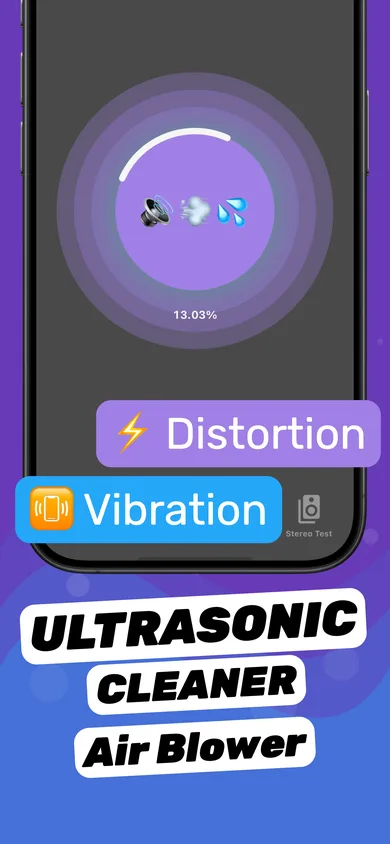
- Run the Speaker Cleaner session. Tap the circular button to start. Clear Wave plays tuned patterns that move water and loosen dust.
- Switch modes if needed. Use the vibration and distortion options shown in the session to shake loose stubborn debris.
- Open Stereo Test. Turn the Left and Right channels on one at a time. Both should sound equally clear.
- Sweep with the Tone Generator. Swipe up and down through frequencies; a rattle at one pitch means another session is worth trying.
Fix my speaker: symptom checker
| What you hear | Likely cause | What to do |
|---|---|---|
| Muffled, "underwater", low volume after getting wet | Water in grille | Water eject tone, 2–5 cycles, air-dry |
| Quiet but clear, gradually worse over months | Dust / lint / pocket debris | Soft brush + speaker cleaner session |
| Crackling only at high volume | Water or debris on membrane | Clean, then re-test with tone sweep |
| Crackling or buzzing at every volume | Damaged ("blown") speaker | Diagnose with stereo test; repair if confirmed |
| No sound at all | Software, Bluetooth routing, or hardware | Check mute/volume, disconnect Bluetooth, restart |
Quick software checks before you clean
- Make sure the phone isn't connected to AirPods or a Bluetooth speaker (Control Center → AirPlay icon).
- Turn the volume up with the side buttons while playing media.
- Check Settings → Sounds & Haptics and make sure the ringer volume isn't at zero.
- Restart the iPhone — it fixes audio routing glitches surprisingly often.
Questions
Does "fix my speaker" work for Android too?
The technique works on any phone speaker. Clear Wave itself is for iPhone and iPad; on Android, use a similar tone-based app.
How many times should I run a fix my speaker tone?
Usually 2–3 cycles. After heavy exposure (pool, toilet), up to 5 cycles with a few minutes of drying between them.
Can I fix my speaker if it is blown?
No app can repair a torn membrane or burnt voice coil. Clear Wave can help you diagnose it so you know whether a repair is needed.