
Quick answer
Crackling that appears only at high volume or after getting wet is usually water or debris on the speaker membrane — run 2–3 water eject cycles, then test with a tone sweep. Crackling at every volume, or a buzz on specific notes that doesn't go away after drying for 24 hours, points to a damaged (blown) speaker that needs repair.
Crackles, pops and buzzing are the sound of the speaker membrane hitting something it shouldn't — a droplet, a speck of grit, or its own damaged edge. The trick is figuring out which, and a test tone is the quickest way to hear it clearly.
On this page 5 sections
How to fix a crackling iPhone speaker
- Rule out the source audio. Play a different, high-quality song or video. Some streams and videos crackle on their own.
- Lower the volume. If crackling stops below ~70% volume, the membrane is being over-driven by something extra — usually water or debris.
- Eject water and debris. Speaker down, 70–80% volume, play a low water eject tone for 30–60 seconds, 2–3 times.
- Brush the grille. Use a soft, dry toothbrush to lift lint out of the holes.
- Sweep test tones. Play tones from low to high. A buzz at one specific pitch that persists after cleaning suggests a damaged speaker.
Diagnose and fix crackling with Clear Wave
- Run a Water Eject session. Clear water and loosen debris first — it fixes most crackling after rain or a spill.
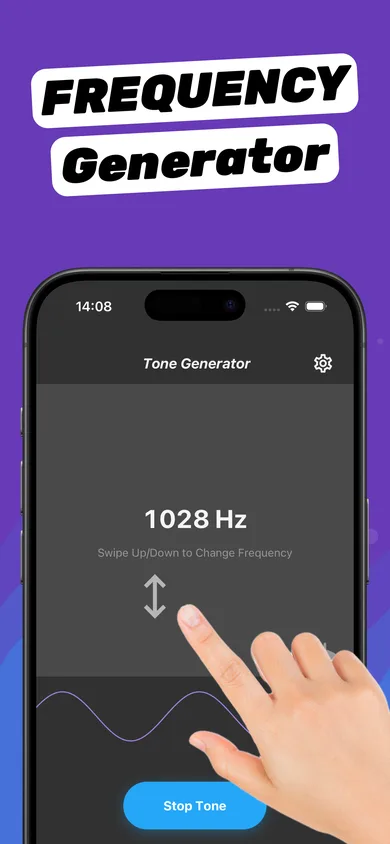
- Open the Tone Generator. Swipe up and down slowly to sweep the frequency. Listen for the pitch where the crackle appears.
- Use Stereo Test to isolate the speaker. Turn on one channel at a time. If only one side crackles, that speaker is the problem.
- Repeat or book a repair. If crackling drops after each session, keep going. If nothing changes after 24 hours of drying, the speaker is likely damaged.
Water vs. dust vs. blown speaker
| Sign | Water | Dust / debris | Blown speaker |
|---|---|---|---|
| Started after getting wet | ✔ | — | Sometimes |
| Improves after water eject | ✔ | Partly | ✘ |
| Crackles at low volume | Rarely | Rarely | ✔ |
| Buzz on specific frequencies | Sometimes | ✔ | ✔ |
| Gets better after 24 h drying | ✔ | ✘ | ✘ |
Keep volume in check
Continuous maximum volume heats the voice coil and makes crackling worse. When testing, stay around 70–80%. If you use your iPhone as a loud music speaker every day, the dB meter helps you keep an eye on levels.
Questions
Why does my iPhone speaker crackle at high volume?
Water or debris on the membrane, or the membrane reaching its limit on bass-heavy audio. Clean it first; if it still crackles only on loud bass, lower the volume or EQ.
Can water cause crackling in an iPhone speaker?
Yes. Droplets on the membrane rattle as it moves. Water eject cycles usually remove them.
Is a crackling speaker blown?
Not necessarily. If crackling persists at all volumes after cleaning and 24 hours of drying, it probably is.