
Quick answer
Power off, then gently brush the speaker grilles with a soft, dry toothbrush at an angle. Lift remaining lint with a piece of painter's tape or Blu Tack pressed lightly on the grille. Turn the phone on and run a speaker cleaner session (low-frequency sound) to shake loose what's left. Never use pins, liquids or compressed air.
Pocket lint, dust and makeup slowly pack into the tiny speaker holes. Because it happens gradually, most people just think their iPhone got quieter with age. A careful clean often brings back a surprising amount of volume and clarity.
On this page 5 sections
How to clean an iPhone speaker step by step
- Turn the iPhone off and remove the case. Safer, and you can see the grille clearly.
- Brush the grille. Use a soft, dry, clean toothbrush. Brush at an angle, away from the holes, not into them.
- Lift lint with tape. Press painter's tape or Blu Tack gently on the grille and peel it off. Don't push it into the holes.
- Clean the earpiece. Repeat gently on the top earpiece slot.
- Run a sound cleaning session. Turn the phone on, face the speaker down and play a low-frequency cleaning tone to vibrate out loose particles.
Finish the job with Clear Wave's Speaker Cleaner
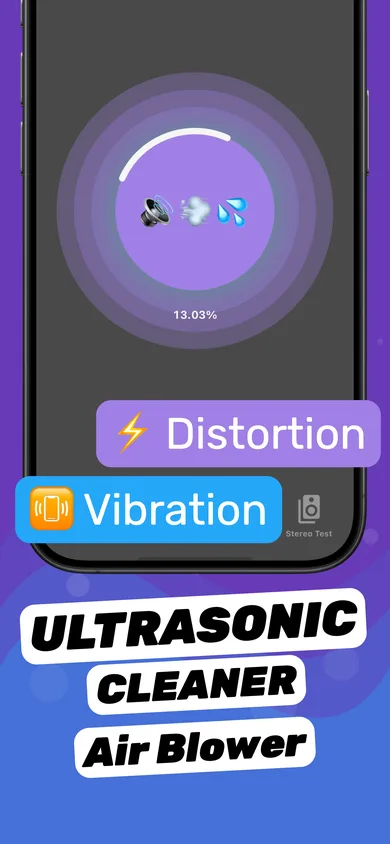
- Start the Speaker Cleaner session. The same session that ejects water also loosens dust from the membrane and mesh.
- Use vibration mode. The session's vibration option helps shake particles out of the grille.
- Measure the difference. Use the dB Meter before and after cleaning (same song, same volume, same distance) to see the improvement.
Never use these on your speaker
- Pins, needles or toothpicks — they can puncture the mesh.
- Alcohol, water or cleaning sprays in the holes.
- Compressed air — it can push debris further in.
- A vacuum held tight against the grille.
How often to clean
Every few months is plenty for most people. If you keep your phone in a pocket with lint, at the beach, or in a dusty workplace, a quick brush and sound-cleaning session once a month keeps volume consistent.
Questions
Can I use a toothbrush to clean my iPhone speaker?
Yes — a soft, clean, dry one. Brush gently at an angle.
Does a speaker cleaner app remove dust?
It helps loosen fine dust from the membrane and mesh. Combine it with a soft brush for packed lint.
Why is my iPhone speaker quiet even after cleaning?
Check Bluetooth routing and volume settings, then run a stereo test. If one speaker is much quieter, it may need repair.