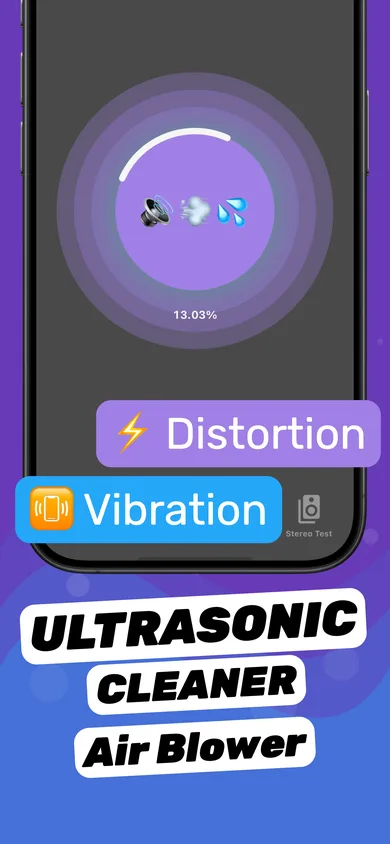
Water Eject & Speaker Cleaner
Tuned sound sessions push out water and loosen dust after rain, showers, spills or the pool.

Speaker Fix – Water Eject
Tuned sound waves push trapped water and dust out of your iPhone speaker in one tap. Then a stereo test, tone generator and dB meter confirm the sound is back to normal.

 Scan with your
Don't wait hours for it to dry. Download Clear Wave, face the speaker down and tap once.
“My phone had water in it and it got it out thx so much to the ppl who made this app”
Real screenshots from the App Store listing.
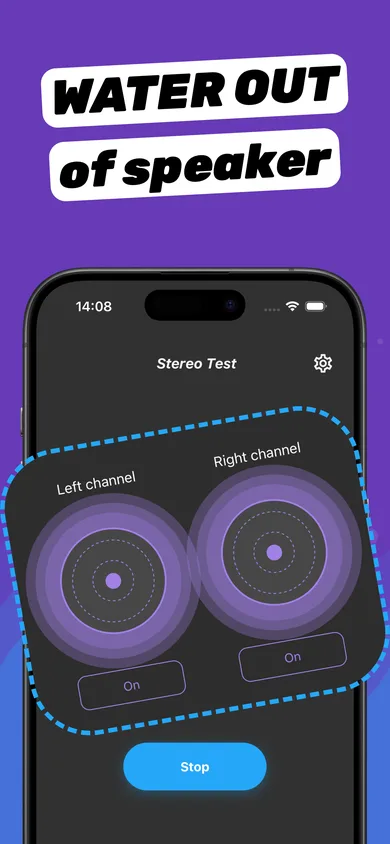
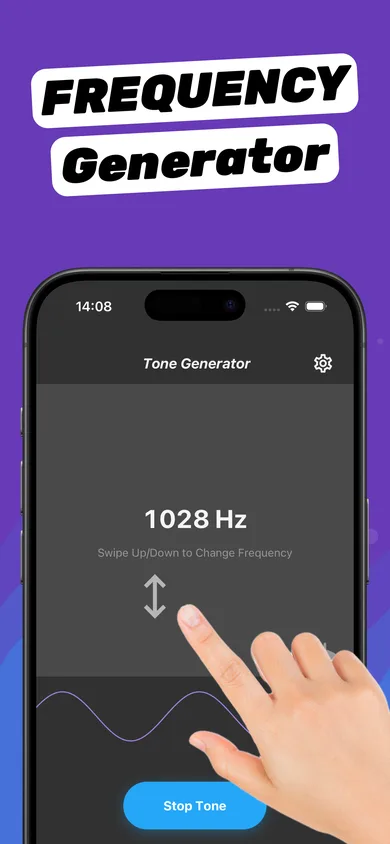
The same four steps from the App Store listing — no tools, no rice, no hair dryer.
Around 70–80%. Loud enough to move the speaker, never maximum for long periods. Take the case off.
Hold your iPhone with the bottom edge toward the floor so gravity helps water drain out.
Tap the circle. Tuned low-frequency sound makes the membrane pump droplets out through the grille.
Check left and right with the Stereo Test. Heavily soaked? Run 2–3 sessions and let it air-dry.
A speaker is a tiny pump. At low frequencies its membrane moves in long strokes, pushing air — and water — out of the same holes it got in through. It's the same idea as Water Lock on Apple Watch, which the iPhone doesn't have built in.
Tuned sound sessions push out water and loosen dust after rain, showers, spills or the pool.
Play the left and right channel separately to find a muffled or silent speaker.
Swipe to any frequency. Sweep low to high to catch rattles and missing ranges.
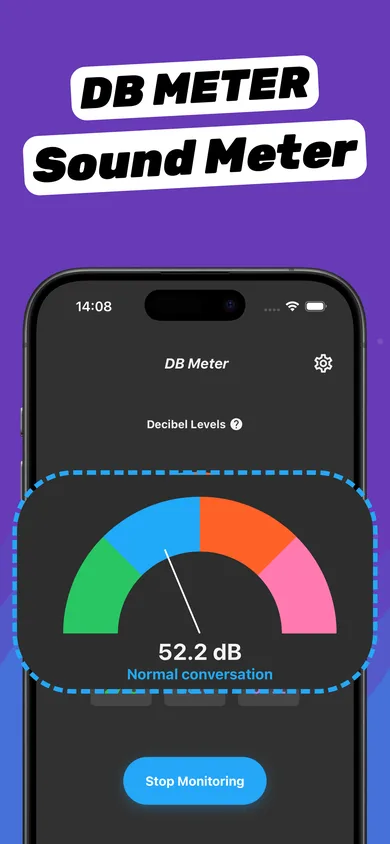
Measure loudness before and after cleaning — and keep an eye on safe listening levels.
Answers to what people actually search when their iPhone speaker stops sounding right — each with the manual fix and the one-tap version.
Water in your iPhone speaker? Get it out in minutes: Apple-safe drying steps plus a sound-wave water eject that pushes trapped water out. Free on iPhone.
Read guide 02What a water eject app does, how it pushes water out of your iPhone speaker, and what to look for in one. Try Clear Wave free on iPhone and iPad.
Read guide 03Fix my speaker, fast: eject water and dust from your iPhone speaker with sound waves, then test left/right channels. Step-by-step guide + free app.
Read guide 04iPhone speaker quiet, muffled or not working? 8 fixes in order — settings, Bluetooth, restart, water eject, dust cleaning, and how to test the result.
Read guide 05iPhone speaker muffled after water, a shower or rain? Here is why it sounds underwater and the 2-minute fix that pushes water out. Free iPhone app.
Read guide 06iPhone speaker crackling, buzzing or distorted? Find out if it is water, dust or a blown speaker — and fix it with a sound-wave cleaner and tone test.
Read guide 07How the iPhone water eject Siri Shortcut works, why it stops working after iOS updates, and an easier one-tap alternative that also tests your speaker.
Read guide 08Why 165 Hz is the go-to water eject frequency, how low tones push water out of a phone speaker, and how to play it safely on iPhone.
Read guide 09Is your phone speaker blown or just clogged? Test it in 2 minutes, try the fixes that work, and know when a blown speaker needs repair.
Read guide 10Clean dust and lint from your iPhone speaker without damage: soft brush, tape trick, and a sound-wave speaker cleaner. What to never use.
Read guide 11Dropped your iPhone in water, the pool or the toilet? Do this right now: Apple-safe drying, liquid-detected alert, speaker water eject and when to charge.
Read guide 12Run a left and right speaker test on iPhone, AirPods or headphones in seconds. Find a quiet, muffled or dead channel and what to do about it.
Read guide 13Use your iPhone as a decibel meter: measure noise in dB, check how loud your speaker is, and know safe listening levels. Free dB meter in Clear Wave.
Read guide 14Play any test tone on iPhone: pick a frequency in Hz, sweep low to high to test speakers, find rattles, or play a 165 Hz water eject tone.
Read guide 15Liquid detected in your iPhone charging port? How to get water out safely, whether vibration helps, how long to wait before charging and what never to do.
Read guideClear Wave is a free iPhone and iPad app (App Store name: “Speaker Fix – Water Eject”) that pushes water and dust out of your speaker with tuned sound waves, then checks the result with a stereo test, tone generator and dB meter.
Learn more about What is Clear WaveYes — for water trapped in the speaker grille, which causes most muffled sound after rain, showers or splashes. Low-frequency sound makes the speaker membrane push droplets out; you can often see them appear on the mesh.
Learn more about Does water eject actually workYes. A water eject tone is ordinary audio played at normal volume, like music. Keep the volume around 70–80%, avoid long runs at maximum, and stop if you hear harsh rattling.
Learn more about Is water eject safe for my iPhone speakerLeft alone, several hours to a full day. With a water eject tone, most of it comes out in 1–3 cycles of 30–60 seconds; heavy exposure may need up to 5 cycles plus air-drying.
Learn more about How long does it take for water to leave an iPhone speakerNo. Apple specifically advises against it because small rice particles can get into the iPhone. Tap it gently with the connector facing down, let it air-dry, and use a water eject tone for the speaker.
Learn more about Should I put my wet iPhone in riceLow frequencies around 150–200 Hz work best; 165 Hz is the most widely used. Low tones make the speaker membrane move further on each stroke, pushing water through the grille.
Learn more about What frequency gets water out of a speakerNo — a truly blown speaker is physically damaged and needs replacement. But many speakers that sound "blown" are just wet or clogged, and water eject fixes those. Test before you pay for a repair.
Learn more about Can water eject fix a blown speakerOnly partly. You can play a water eject tone through connected AirPods, but their drivers are small and sealed, so the effect is limited. Dry them with a lint-free cloth, let them air-dry, then test left and right channels.
Learn more about Does water eject work on AirPodsNo. Only Apple Watch has a built-in water eject (Water Lock). On iPhone you need a water eject app like Clear Wave or a community Siri shortcut.
Learn more about Does the iPhone have a built-in water eject2–3 cycles of 30–60 seconds for splashes, rain or shower steam. Up to 5 cycles after submersion (pool, toilet), with a few minutes of drying between them. Stop when a stereo test sounds clear on both sides.
Learn more about How many times should I run water ejectClear Wave is free to download on iPhone and iPad. An optional in-app subscription (with a free trial) unlocks full access to all tools: water eject, stereo test, tone generator and dB meter.
Learn more about Is Clear Wave freeLast updated:
Download Clear Wave, point the speaker down and run a water eject session. It's free to download on iPhone and iPad.