
Quick answer
Turn the volume to about 70–80%, hold the iPhone with the speaker grille facing down, and play a low-frequency water eject tone (around 165 Hz) for 30–60 seconds. The vibration pushes droplets out of the grille. Repeat 2–3 times, tap the phone gently against your palm, then let it air-dry. Don't use rice, heat or cotton swabs.
When water gets into the iPhone speaker, a thin film sits across the speaker mesh and the tiny cavity behind it. The speaker still works, but the water damps the sound — so voices go muffled, music sounds "underwater" and the volume drops. The fix is to physically move that water out, and sound itself is the best tool you have.
On this page 6 sections
Step by step: remove water from an iPhone speaker
- Take the case off and wipe the outside. Cases trap moisture around the bottom speaker. Dry the outside with a lint-free cloth.
- Point the speaker down. Hold the iPhone with the bottom edge (main speaker) facing the floor so gravity helps the water drain out.
- Set volume to 70–80%. Loud enough to vibrate the speaker membrane, not so loud that it rattles. Avoid maximum volume for long periods.
- Play a water eject tone for 30–60 seconds. A low tone around 165 Hz makes the speaker cone move with large, slow strokes, which pushes droplets through the grille. You may see tiny drops appear on the mesh.
- Repeat 2–3 times, then tap gently. Tap the phone against your palm with the speaker facing down, then run another cycle. Heavy exposure (pool, toilet) may need 3–5 cycles.
- Let it air-dry. Leave the iPhone in a dry place with some airflow. Apple recommends waiting at least 30 minutes before charging if a liquid alert appears.
How to do it with Clear Wave (one tap)
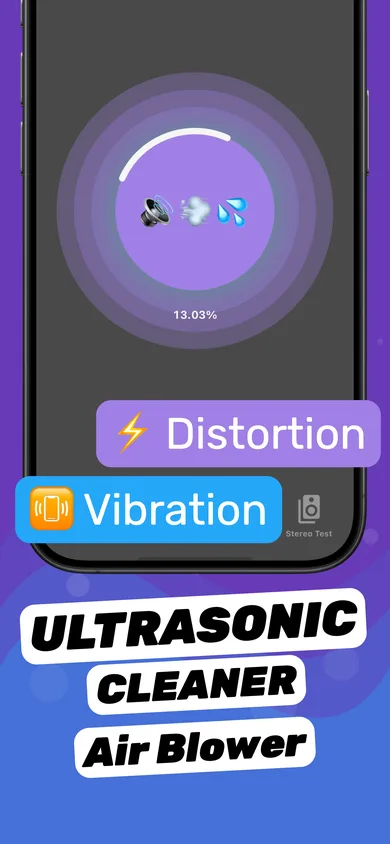
- Open Clear Wave and choose Water Eject. The main screen is the cleaning session — the big circular button.
- Turn the volume up and face the speaker down. Clear Wave plays tuned sound patterns through the speaker while you control the volume.
- Run a full session. Watch the progress ring fill. Drops should appear on the speaker grille; wipe them off.
- Check the result with the Stereo Test. Play the left and right channel separately. If one side is still muffled, run another session.
Why sound waves work better than shaking
Shaking or blowing can push water deeper into the phone. A water eject tone does the opposite: the speaker membrane itself moves back and forth hundreds of times a second, acting like a tiny pump that pushes water out through the same holes it came in. It's the same idea as the Water Lock feature on Apple Watch, which plays a tone to clear its speaker.
Low frequencies work best because the membrane travels further on each stroke. That's why most water eject tones sit around 150–200 Hz rather than high-pitched beeps.
What not to do
- No rice. Apple specifically says not to put an iPhone in rice — small particles can get into the phone.
- No hair dryer or heat. Heat can damage the battery and adhesive seals.
- No cotton swabs or paper in the speaker or charging port.
- No compressed air — it can force water further inside.
When it's more than water
If the speaker is still quiet after 3–5 cycles and a few hours of drying, the problem may be dust or lint in the grille (see how to clean an iPhone speaker) or damage to the speaker itself. Distortion, buzzing or crackling at every volume level can mean a damaged speaker — our blown speaker guide shows how to tell the difference.
Questions
How long does water take to come out of an iPhone speaker?
With a water eject tone, most of the water comes out in 1–3 cycles of 30–60 seconds. Without help, it can take several hours to a day to evaporate, and the sound stays muffled until it does.
Is it safe to play a water eject sound on my iPhone?
Yes, at normal volume. The tone is just audio played through the speaker, like music. Keep the volume below maximum and stop if you hear harsh rattling.
Does this work for the earpiece speaker too?
Yes. The top earpiece is also a speaker on modern iPhones. Point the top edge down and run the tone again to clear it.
More answers